
Samsung Galaxy Tab S9+ 5G Repairs
This price is for the SM-X816B. To find your model number, open Settings, scroll down and tap About phone. The model number is on that screen.
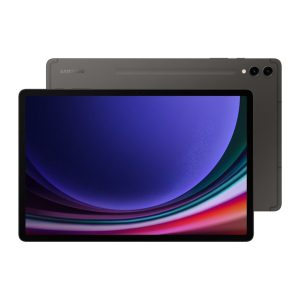
- Samsung authorised service centre
- Original Samsung parts
- Listed on samsung.com as the Durban repair partner
- Serving Umhlanga and Durban since 2007
A Tab S9+ tends to earn its keep. The 12.4 inch Dynamic AMOLED 2X panel at 120Hz makes it a favourite for notes, drawing and meetings, which also means it travels, and travelling tablets pick up damage.
When yours does, bring it to Onnuri Tech in Umhlanga. As an authorised Samsung service centre we repair the Tab S9+ with original Samsung service parts, fitted by trained technicians, at a price that already includes both the part and the work.
Samsung Galaxy Tab S9+ 5G at a glance
| Display | 12.4 inch Dynamic AMOLED 2X, 120Hz |
| Battery | 10090mAh |
| Released | August 2023 |
Screen R7 650 fitted. All original Samsung parts, three months warranty on the part and the work, installed in under three working days. These are the prices for the SM-X816B.
What we can replace on this device
Common questions
SM-X816B or SM-X810: which one is mine?
SM-X816B is the 5G Tab S9+ and SM-X810 is the Wi-Fi one. Settings, About tablet, Model number shows which you have, and the 5G is the model with a SIM tray in the frame. The R7 650 here is quoted against the SM-X816B.
The FE+ has the same 12.4 inch screen for R4 450. Why is mine R7 650?
The panel inside is not the same. Your S9+ has a Dynamic AMOLED 2X running at 120Hz and the FE+ uses an LCD at 90Hz, which is most of the R3 200 between the two prices. Screen size, the 10090mAh battery and the IP68 rating match across the two tablets; the display does not.
Is R7 650 justified on a tablet from August 2023?
It is a large amount, and the dates support it. Samsung is upgrading the Tab S9 range through 2027 and patching it to at least 2028, and neither the Snapdragon 8 Gen 2 nor the 10090mAh battery has aged into a problem. A hard fall can bend the frame or crack the back as well as the glass, so the R7 650 covers the screen and nothing else until the rest of the tablet has been checked.
Working out what is wrong
If you are not certain what has failed, these work through the symptoms.
- The screen stays black
- It will not charge
- The charge does not last the day
- A green or pink line down the display
- It went in water