
Samsung Galaxy S21 5G Battery Replacement
This price is for the SM-G991B. To find your model number, open Settings, scroll down and tap About phone. The model number is on that screen.
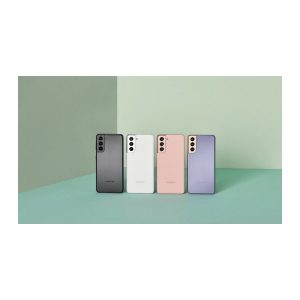
Three months warranty on the part and the work. Installed in under three working days.
- Samsung authorised service centre
- Original Samsung parts
- Listed on samsung.com as the Durban repair partner
- Serving Umhlanga and Durban since 2007
Rather have us call you?
Leave your name and number. We will call you back to confirm stock and a time that suits you.
A 4000mAh battery in a phone this size worked well when it was new. Batteries wear with charge cycles though, and after a few years most S21s are asking for the charger long before supper.
We fit original Samsung batteries at our Umhlanga service centre. The cell is made for the SM-G991B, the fitting is done by trained technicians, and both are included in the price shown.
Signs you need this repair
- Needs a top-up charge by mid-afternoon
- Drops from 40 percent to dead in minutes
- Warm on the back even with light use
- Only feels normal when it is plugged in
Samsung Galaxy S21 5G at a glance
| Released | January 2021 |
| Display | 6.2 inch Dynamic AMOLED 2X, 120Hz |
| Battery | 4000mAh |
Common questions
How long does a Samsung battery normally last before it needs replacing?
Batteries wear by charge cycles rather than by calendar, but most heavily used phones show real capacity loss after two to three years. An S21 bought at launch is well past that. If yours no longer gets through a working day, the cell has likely reached that point.
Do you use original Samsung batteries?
Yes, only. As an authorised Samsung service centre we fit the original service battery made for the S21, not a generic cell with a sticker on it. Capacity, charging behaviour and safety protections match the battery the phone shipped with. Fitting by our technicians is included.
Will I lose my apps and photos?
No. The battery is a hardware part and the swap does not wipe the phone. Your data stays on the device. As with any repair we suggest you back up first through Smart Switch or your Google account, simply because a current backup is always a good idea.
Other repairs for this device
Working out what is wrong
Before you replace the battery, it is worth knowing which of these you have.