
Samsung Galaxy S9+ Charging Port Replacement
This price is for the SM-G965F. To find your model number, open Settings, scroll down and tap About phone. The model number is on that screen.
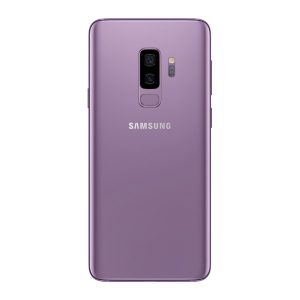
Three months warranty on the part and the work. Installed in under three working days.
- Samsung authorised service centre
- Original Samsung parts
- Listed on samsung.com as the Durban repair partner
- Serving Umhlanga and Durban since 2007
Rather have us call you?
Leave your name and number. We will call you back to confirm stock and a time that suits you.
Lint, wear and bent pins are what finish off most USB-C ports, and after years in pockets the S9+ has seen all three. The result is a cable that has to be wedged in, or a phone that quietly stops charging overnight.
Rather than patching the socket, we replace the whole sub-board with an original Samsung part. Charging and data transfer come right, and the price shown includes the part and fitting.
Signs you need this repair
- Cable has to be wedged at an angle to charge
- Charging icon flickers on and off
- Fast charging stopped working
- Phone not recognised when plugged into a laptop
Samsung Galaxy S9+ at a glance
| Display | 6.2 inch Super AMOLED, Quad HD+ |
| Battery | 3500mAh |
| Released | March 2018 |
Common questions
How do I know if it is the port, the cable or the charger?
Try a different cable and wall adapter first, because they fail more often than people expect. If the phone still misbehaves with known good ones, the port is the prime suspect. We test all of this on the bench before replacing anything.
Is the repair risky for my data?
No. Replacing the USB sub-board is a hardware job that does not touch your storage, so apps, photos and WhatsApp chats stay exactly as they are. As with any repair, keeping a recent backup is a sensible habit, but the repair itself does not require one.
My phone only charges wirelessly now. Can it be saved?
Yes. If wireless charging works but the cable does nothing, the port or its sub-board has failed while the rest of the phone is fine. Fitting an original sub-board brings cable charging and data transfer back. It is one of the more routine repairs we do on this model.
Other repairs for this device
Working out what is wrong
A phone that will not charge is not always the port.