
Samsung Galaxy A03 Screen Replacement
This price is for the SM-A035F. To find your model number, open Settings, scroll down and tap About phone. The model number is on that screen.
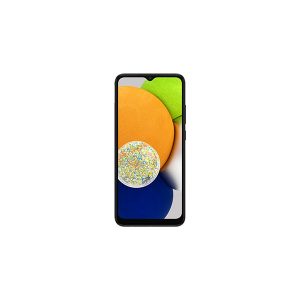
Three months warranty on the part and the work. Installed in under three working days.
- Samsung authorised service centre
- Original Samsung parts
- Listed on samsung.com as the Durban repair partner
- Serving Umhlanga and Durban since 2007
Rather have us call you?
Leave your name and number. We will call you back to confirm stock and a time that suits you.
A cracked or dead screen on the Galaxy A03 does not mean the phone is finished. We fit an original Samsung 6.5 inch HD+ LCD made for the SM-A035F, so colour, brightness and touch response match what the phone shipped with.
Cracks tend to spread. Pressure in a pocket or a bit of moisture through the glass can take a working screen to a dead one, so it pays to have it replaced early. The price shown includes the panel and the fitting.
Signs you need this repair
- Glass shattered but the display underneath still works
- Screen stays black even though the phone vibrates and rings
- Dark blot or bleeding colour spreading from the crack
- Touch skips or stops responding in patches
Samsung Galaxy A03 at a glance
| Released | 2022 |
| Display | 6.5 inch PLS LCD, HD+ |
| Battery | 5000mAh |
Common questions
Will the replacement screen match the original?
Yes. We fit the original Samsung service panel made for the SM-A035F, which is the same LCD the phone left the factory with. Colour, brightness and touch sensitivity are calibrated for this exact model, which is not something generic panels can promise. Fitting by our technicians is included in the price shown.
My A03 screen is cracked but still working. Can I leave it?
You can, but cracks rarely stay put. Pressure in a pocket or bag makes them spread, and moisture getting in through the glass can kill the display or the touch layer. Replacing it while the phone still works is cheaper than dealing with the extra damage later.
Is the A03 screen the same as the A03s or A03 Core?
No. They look similar but the panels differ and are not interchangeable. We fit the screen made specifically for the SM-A035F. If you are not sure which model you have, check Settings, About phone, or bring the phone in and we will confirm it for you.
Other repairs for this device
Working out what is wrong
Not every screen fault needs a new screen.