
Samsung Galaxy A07 Charging Port Replacement
This price is for the SM-A075 and SM-A075F. To find your model number, open Settings, scroll down and tap About phone. The model number is on that screen.
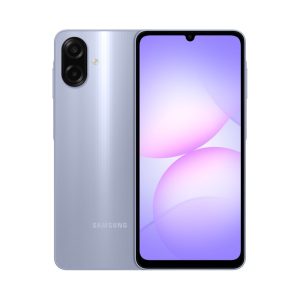
Three months warranty on the part and the work. Installed in under three working days.
- Samsung authorised service centre
- Original Samsung parts
- Listed on samsung.com as the Durban repair partner
- Serving Umhlanga and Durban since 2007
Rather have us call you?
Leave your name and number. We will call you back to confirm stock and a time that suits you.
A charging port takes a plug thousands of times in a phone's life, and lint, wear or bent pins eventually get to it. On the A07 the first sign is usually a cable that needs wiggling before it charges.
The USB-C port on the SM-A075 sits on a replaceable sub-board. We fit the original Samsung board, with fitting included in the price shown.
Signs you need this repair
- Have to wiggle the cable to get charging going
- Charging icon flickers on and off
- Moisture detected warning with a dry phone
- Fast charging no longer kicks in
Samsung Galaxy A07 at a glance
| Released | August 2025 |
| Display | 6.7 inch PLS LCD, 90Hz |
| Battery | 5000mAh |
Common questions
My A07 keeps showing a moisture warning but it was never wet. Can you fix that?
That warning often comes from a dirty or worn port rather than actual water. Lint and corrosion on the pins confuse the moisture detection. We clean or replace the USB sub-board with an original part, which normally clears it.
Fast charging stopped working on my A07. Is that the port?
Often, yes. Fast charging needs clean, solid contact on all the port pins, so wear shows up there first. Test a known good 25W charger and cable before booking. If those check out, the port is the likely suspect.
How do I know it is the port and not my cable?
Try two or three different cables and adapters that work on other phones. If every combination needs wiggling or an angle to charge, the fault sits in the phone. That points to the port, which we replace with an original sub-board.
Other repairs for this device
Working out what is wrong
A phone that will not charge is not always the port.