
Samsung Galaxy A05s Charging Port Replacement
This price is for the SM-A057 and SM-A057F. To find your model number, open Settings, scroll down and tap About phone. The model number is on that screen.
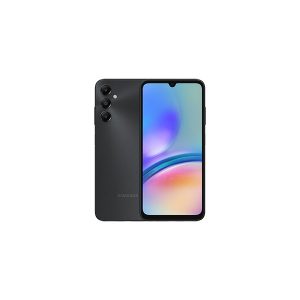
Three months warranty on the part and the work. Installed in under three working days.
- Samsung authorised service centre
- Original Samsung parts
- Listed on samsung.com as the Durban repair partner
- Serving Umhlanga and Durban since 2007
Rather have us call you?
Leave your name and number. We will call you back to confirm stock and a time that suits you.
A phone that will not charge is a dead phone on a countdown, so port trouble on the A05s tends to bring people in quickly. The usual finding is a worn or lint-packed USB-C connector that no longer grips the plug.
Our repair replaces the charging sub-board with the original Samsung part for the SM-A057. The main board is not touched and your data is not involved. Part and fitting are included in the displayed price.
Signs you need this repair
- Plug will not stay seated in the port
- Charging works only at one angle
- Battery percentage falls even while plugged in
- PC connection drops in and out
Samsung Galaxy A05s at a glance
| Released | 2023 |
| Display | 6.7 inch PLS LCD, Full HD+, 90Hz |
| Battery | 5000mAh |
Common questions
My battery drops even while the phone is plugged in. What does that mean?
The port is delivering less power than the phone is using, so the battery drains anyway. A worn connector, a damaged cable or a weak charger can each cause it. Test a known good cable and charger first. If the problem stays, the sub-board is the likely fault.
Do you test the port before replacing it?
Yes, always. We inspect and clean the connector first, because compacted lint imitates a broken port almost perfectly. Only if the pins or the board are genuinely worn or damaged do we fit the new original sub-board. You pay for the repair the phone needs, not the biggest one.
Can I charge the phone another way while I wait to bring it in?
The A05s has no wireless charging, so the port is the only way in. If charging still works at an angle, prop the phone up rather than forcing the cable, since force bends the pins further. If it will not charge at all, bring it in before the battery runs flat.
Other repairs for this device
Working out what is wrong
A phone that will not charge is not always the port.